注:本文已发布超过一年,请注意您所使用工具的相关版本是否适用
序
笔记
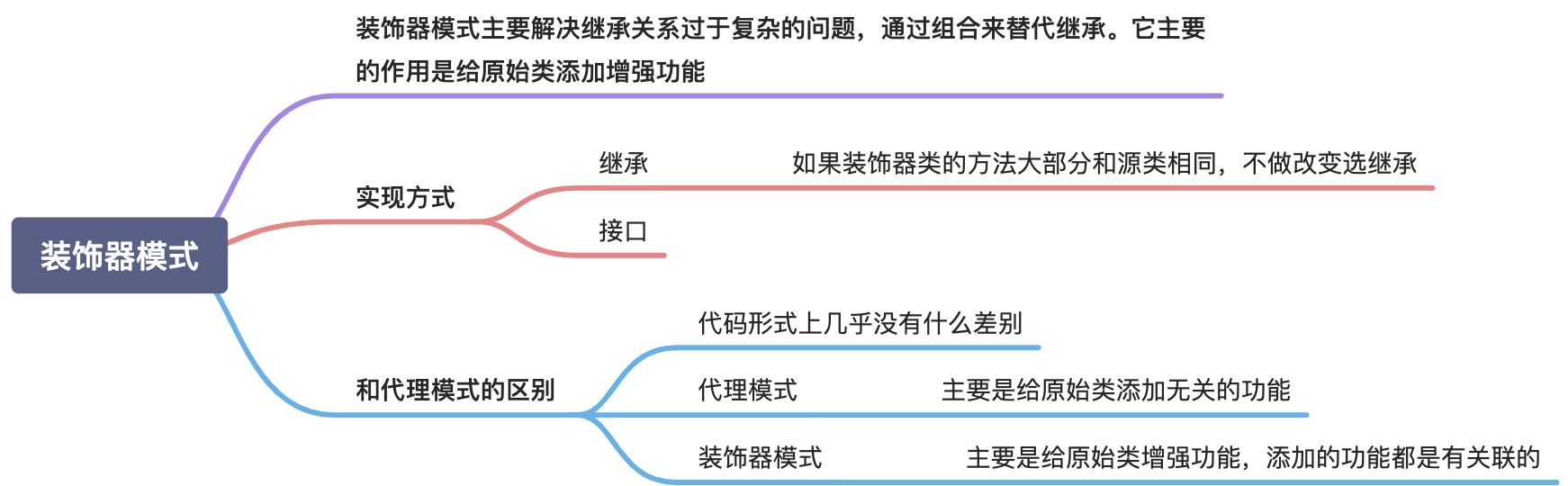
代码实现
下面是一个简单的画画的例子,默认的 Square 只有基础的画画功能, ColorSquare 为他加上了颜色
Code
1
2
3
4
5
6
7
8
9
10
11
12
13
14
15
16
17
18
19
20
21
22
23
24
25
26
27
28
29
30
| package decorator// IDraw IDraw
type IDraw interface {
Draw() string
} // Square 正方形
type Square struct{} // Draw Draw
func (s Square) Draw() string {
return "this is a square"
} // ColorSquare 有颜色的正方形
type ColorSquare struct {
square IDraw
color string
} // NewColorSquare NewColorSquare
func NewColorSquare(square IDraw, color string) ColorSquare {
return ColorSquare{color: color, square: square}
} // Draw Draw
func (c ColorSquare) Draw() string {
return c.square.Draw() + ", color is " + c.color
}
|
单元测试
1
2
3
4
5
6
| func TestColorSquare_Draw(t *testing.T) {
sq := Square{}
csq := NewColorSquare(sq, "red")
got := csq.Draw()
assert.Equal(t, "this is a square, color is red", got)
}
|
关注我获取更新
猜你喜欢