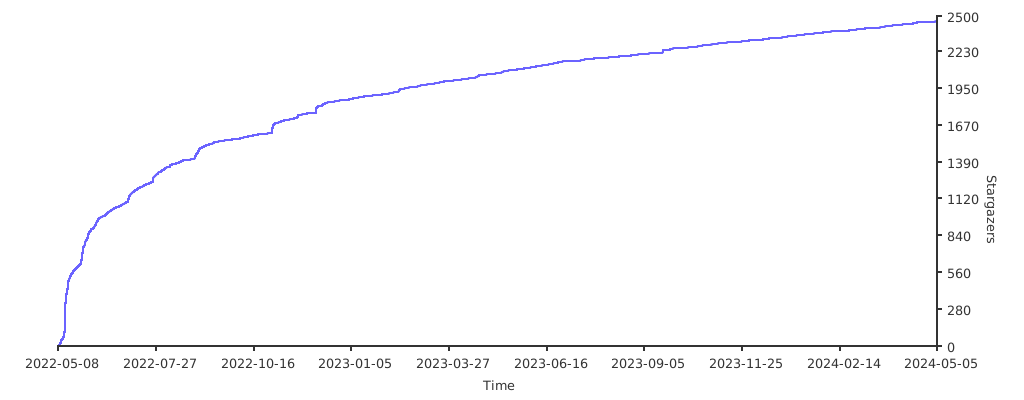
# 项目
- name: Thanks-Mirror
  desc: 整理记录各个包管理器,系统镜像,以及常用软件的好用镜像,Thanks Mirror。
  avatar: https://avatars2.githubusercontent.com/u/416130?s=460&u=8753e86600e300a9811cdc539aa158deec2e2724&v=4 # 可选
  link: https://github.com/eryajf/Thanks-Mirror # 可选
  bgColor: "#0074ff" # 可选,默认var(--bodyBg)。颜色值有#号时请添加单引号
  textColor: "#fff" # 可选,默认var(--textColor)
1
2
3
4
5
6
本项目灵感来自:FUCK-GFW (opens new window),FUCK-GFW 分享的是包管理器配置代理的方法,这里分享的是包管理器直接可用,质量好,速度快的镜像,以及一些其他常用软件,系统镜像的国内镜像。
在此,对那些提供公共仓库镜像的企业或组织,致以感谢 🫡!
目录
# Package-Mirror
以往工作中经历过建设企业内部私服的经历,私服的建设离不开国内一些优秀的镜像代理,这里记录下来,以供大家参考。
注意:假如所有的镜像都已经被本地 nexus 私服代理,那么对应的地址为nexus.eryajf.net/repository/***/。(这只是个域名示例,不代表实际可用!)
# Go
# Configuration
如果 go 版本用的go1.11或者go1.12,需进行如下配置:
export GO111MODULE=on
export GOPROXY="http://nexus.eryajf.net/repository/go/"
1
2
如果使用 go1.13以上的版本则可以用如下配置:
export GOPROXY="http://nexus.eryajf.net/repository/go/"
GONOPROXY="gitlab.eryajf.net"
GONOSUMDB="gitlab.eryajf.net"
GOPRIVATE="gitlab.eryajf.net"
GOSUMDB="sum.golang.google.cn"
1
2
3
4
5
关于如上两个版本配置差异,以及配置参数详解可参考:https://wiki.eryajf.net/pages/4941.html (opens new window)
# Mirrors
- Aliyun
- Proxy-cn
- Proxy-io
- Baidu
- Tencent (opens new window)
其中GOSUMDB在国内可用的两个镜像分别如下:
- sumdb-io
# Npm
# Configuration
配置npm代理,需进行如下配置:
# npm配置
$ echo 'registry=http://nexus.eryajf.net/repository/npm' > ~/.npmrc
# 查看
$ npm config get registry
http://nexus.eryajf.net/repository/npm

# yarn配置
$ echo 'registry "http://nexus.eryajf.net/repository/npm"' > ~/.yarnrc
# 查看
$ yarn config get registry
http://nexus.eryajf.net/repository/npm
1
2
3
4
5
6
7
8
9
10
11
# Mirrors
Taobao
https://registry.npm.taobao.org (opens new window)
但是请注意如下一个消息:
HUAWEI
浙江大学
南京邮电
npmjs
- https://registry.npmjs.org
# Pip
# Configuration
配置Python代理,需进行如下配置:
$ mkdir ~/.pip

$ cat > ~/.pip/pip.conf << EOF
[global]
timeout = 60
trusted-host =  nexus.eryajf.net
index-url = http://nexus.eryajf.net/repository/pypi/simple
EOF
1
2
3
4
5
6
7
8
注意:通常在配置文件后边,我们会添加一个simple。
# Mirrors
目前代理外部私仓有:
- Aliyun
- http://mirrors.aliyun.com/pypi/
- douban
- http://pypi.douban.com/
- 清华
- https://pypi.tuna.tsinghua.edu.cn/
- 163
- HUAWEI
- Tencent
- https://mirrors.cloud.tencent.com/pypi/
- 南阳理工
# Maven
# Configuration
Java 系的工具版本规范如下:
JDK:1.8.0_292MVN:3.3.9
配置 Maven 代理,需进行如下配置:
<?xml version="1.0" encoding="UTF-8"?>
<settings xmlns="http://maven.apache.org/SETTINGS/1.0.0"
          xmlns:xsi="http://www.w3.org/2001/XMLSchema-instance"
          xsi:schemaLocation="http://maven.apache.org/SETTINGS/1.0.0 http://maven.apache.org/xsd/settings-1.0.0.xsd">
  <localRepository>~/.m2/repository</localRepository>
  <pluginGroups>
  </pluginGroups>
  <proxies>
  </proxies>

  <servers>
    <server>
      <id>releases</id>
      <username>username</username>
      <password>password</password>
    </server>
    <server>
      <id>snapshots</id>
      <username>username</username>
      <password>password</password>
   </server>
  </servers>

  <mirrors>
    <mirror>
      <id>nexus-eryajf</id>
      <mirrorOf>*</mirrorOf>
      <name>Nexus osc</name>
      <url>http://nexus.eryajf.net/repository/maven/</url>
    </mirror>
  </mirrors>

  <profiles>
    <profile>
      <id>developer</id>
    <activation>
      <jdk>jdk-1.8</jdk>
    </activation>
    <repositories>
    <repository>
      <id>nexus-eryajf-local</id>
      <name>local private nexus</name>
      <url>http://nexus.eryajf.net/repository/maven/</url>
    <releases>
      <enabled>true</enabled>
    </releases>
    <snapshots>
      <enabled>true</enabled>
      <updatePolicy>always</updatePolicy>
    </snapshots>
    </repository>
    </repositories>
    <pluginRepositories>
    <pluginRepository>
      <id>nexus-eryajf</id>
      <name>local private nexus</name>
      <url>http://nexus.eryajf.net/repository/maven/</url>
    <releases>
      <enabled>true</enabled>
    </releases>
    <snapshots>
      <enabled>true</enabled>
    </snapshots>
    </pluginRepository>
    </pluginRepositories>
    </profile>
  </profiles>

  <activeProfiles>
    <activeProfile>developer</activeProfile>
  </activeProfiles>
</settings>
1
2
3
4
5
6
7
8
9
10
11
12
13
14
15
16
17
18
19
20
21
22
23
24
25
26
27
28
29
30
31
32
33
34
35
36
37
38
39
40
41
42
43
44
45
46
47
48
49
50
51
52
53
54
55
56
57
58
59
60
61
62
63
64
65
66
67
68
69
70
71
72
# Mirrors
HUAWEI
- https://repo.huaweicloud.com/repository/maven/
Maven Central Repository
- https://repo1.maven.org/maven2/
-
- http://maven.aliyun.com/nexus/content/groups/public/
Tencent
南京邮电
Apache Maven
- https://repo.maven.apache.org/maven2
- https://repository.apache.org/content/groups/snapshots
- https://repository.apache.org/content/groups/staging/
- https://repository.apache.org/content/groups/public/
confluent
- http://packages.confluent.io/maven/
cloudera
- http://repo.hortonworks.com/content/repositories/releases
jboss
- https://repository.jboss.org/nexus/content/groups/public
# Yum
# Configuration
如果CentOS服务器要接入私服yum源,则清空本地 /etc/yum.repos.d的内容,添加如下内容:
$ cat >> /etc/yum.repos.d/nexus.repo << 'EOF'
[nexus]
name=Nexus Repository
baseurl=http://nexus.eryajf.net/repository/yum/$releasever/os/$basearch/
enabled=1
gpgcheck=0

[nexus-local]
name=Nexus Repository
baseurl=http://nexus.eryajf.net/repository/eryajf-yum-local/
enabled=1
gpgcheck=0
EOF
1
2
3
4
5
6
7
8
9
10
11
12
13
然后执行如下命令:
yum clean all
yum makecache
1
2
# Mirrors
目前代理外部源:
- Aliyun
- HUAWEI
- Tencent
- https://mirrors.cloud.tencent.com/centos/
- 北京交通
- 东北大学
- http://mirror.neu.edu.cn/centos/
- 兰州大学
- https://mirror.lzu.edu.cn/centos/
- 清华
- https://mirrors.tuna.tsinghua.edu.cn/centos/
- 华中科技大学
- https://mirrors.ustc.edu.cn/centos/
- 浙江大学
- http://mirrors.zju.edu.cn/centos/
- souhu
- http://mirrors.sohu.com/centos/
- 163:
- http://mirrors.163.com/centos/
# Homebrew
# Configuration
如果你使用了 zsh,那么配置方式如下:
echo 'export HOMEBREW_BREW_GIT_REMOTE="https://mirrors.tuna.tsinghua.edu.cn/git/homebrew/brew.git"' >> ~/.zshrc
echo 'export HOMEBREW_CORE_GIT_REMOTE="https://mirrors.tuna.tsinghua.edu.cn/git/homebrew/homebrew-core.git"' >> ~/.zshrc
echo 'export HOMEBREW_BOTTLE_DOMAIN="https://mirrors.tuna.tsinghua.edu.cn/homebrew-bottles"' >> ~/.zshrc

source ~/.zshrc
brew update
1
2
3
4
5
6
参考:Homebrew 替换国内镜像源 (opens new window)
# Mirrors
- Aliyun
- Tencent
- 清华:
- https://mirrors.tuna.tsinghua.edu.cn/help/homebrew/
# Software-Mirror
还有一些软件,直接通过官方下载比较困难,也整理出方便下载的国内优质镜像。
# Docker
# Official
- https://docs.docker.com/engine/install/
# Mirrors
- Aliyun
- Tencent
- HUAWEI
- 清华
- 中科大
- 西北农林科技大学
- 浙江大学
# Jenkins
# Official
- 安装包:https://www.jenkins.io/zh/download/ (opens new window)
- 插件:https://plugins.jenkins.io/ (opens new window)
# Mirrors
Aliyun
Tencent
HUAWEI
中科大
清华
# ElasticSearch
# Official
# Mirrors
elastic 中文社区
Aliyun
HUAWEI
Tencent
清华
南京邮电
# Logstash
# Official
# Mirrors
- elastic 中文社区
- HUAWEI
# Kibana
# Official
# Mirrors
- elastic 中文社区
- HUAWEI
# Filebeat
# Official
# Mirrors
- elastic 中文社区
- HUAWEI
# MySQL
# Official
# Mirrors
- Aliyun
- HUAWEI
- Tencent
- Souhu
- 清华
- 中科大
- 南阳理工
# MariaDB
# Official
# Mirrors
- Aliyun
- Tencent
- HUAWEI
- 清华
- 中科大
# MongoDB
# Official
# Mirrors
- Aliyun
- Tencent
- 163
- 清华
# Redis
# Official
# Mirrors
# PostgreSQL
# Official
# Mirrors
Aliyun
Tencen
HUAWEI
清华
中科大
浙江大学
南阳理工
# Golang
# Official
# Mirrors
- Go 语言中文网
- Aliyun
- Proxy-io
- 中科大
# Node
# Official
# Mirrors
- Aliyun
- HUAWEI
- Tencent
- 清华
- 中科大