昨天翻 GitHub 找到一个 Material Design 的主题,因为是 MD 所以看着很心动,于是赶紧装上试了一下(
经过半天的调整,总算是符合我的审美要求了,这里就记录一下整个主题更换过程吧(
ToC
黑幕
注:现在以及用上 KAAAsS 的黑幕插件了(
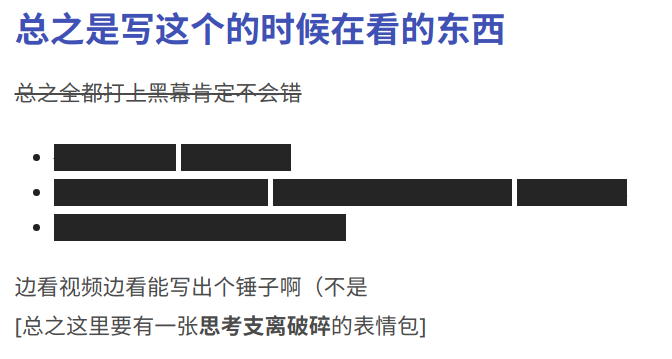
换了个主题首先要加上的是黑幕。但因为主题的影响,原来的 css 不能直接用,因此作了一些改动:
/* heimu */
.heimu,
.heimu a,
a .heimu {
display: inline;
background-color: #252525;
color: #252525 !important;
text-shadow: none;
}
.heimu:hover,
.heimu:active {
transition: color 0.13s linear;
color: #fff !important;
}
.heimu:hover a {
transition: color 0.13s linear;
color: #add8e6 !important;
}
这里和之前最大的区别就是加上了 !important,否则这个样式的优先级比主题的要低,会被主题的字体颜色顶掉(
字号
默认的字号普遍比我期望的大了一圈,遂改小之(
/* size */
#mdx-toc a {
font-size: 14px;
}
.mdui-list-item {
min-height: 40px;
}
.mdui-list-item:after {
height: 40px;
}
.ct1-p {
font-size: 16px;
}
h1 {
font-size: 1.5em;
}
对齐
我个人是希望图片对齐是永远居中的,所以直接加 CSS 了(
/* align */
figcaption {
text-align: center;
}
img {
margin-left: auto;
margin-right: auto;
}
黑夜模式
第一眼看到这个黑色就感觉太黑了,于是调亮了一点(
/* Dark mode */
.mdui-theme-layout-dark
.mdui-appbar
> [class*="mdui-color-"]:not(.mdui-color-transparent) {
background-color: hsl(0, 0%, 14%) !important;
}
.mdui-theme-layout-dark .ArtMain0 {
background-color: hsl(0, 0%, 20%);
}
.mdui-theme-layout-dark div.PostTitleFillBack2[class*="mdui-color-"],
.mdui-theme-layout-dark div.PostTitleFill[class*="mdui-color-"],
.mdui-theme-layout-dark div.PostTitle[class*="mdui-color-"] {
background-color: hsl(0, 0%, 14%) !important;
}
.mdui-theme-layout-dark .spanout {
background-color: hsl(0, 0%, 18%) !important;
}
.mdui-theme-layout-dark .timeInPost {
background: linear-gradient(
to right,
rgba(41, 41, 41, 0) 0%,
hsl(0, 0%, 16%) 5%,
hsl(0, 0%, 18%) 100%
);
}
.mdui-theme-layout-dark .page-footer-nav.mdui-color-theme.mdx-post-nav-clean,
.mdui-theme-layout-dark .page-footer-nav.mdui-color-theme.mdx-post-nav-clean * {
background-color: hsl(0, 0%, 14%) !important;
}
.mdui-theme-layout-dark .foot {
background-color: hsl(0, 0%, 14%);
}
以及这里用了 HSL,原样式用的是 #RRGGBB。
adminbar 遮挡
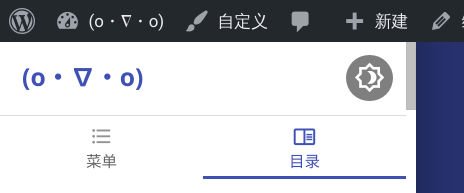
左侧的抽屉会被 #wpadminbar 挡住。这个 adminbar 还是有点用的,想要一键改文章的时候很方便,得想办法适配(
/* wp-adminbar */
body.customize-support .mdx-side-title {
padding-top: 2pc;
}
body.customize-support .nightVision {
top: calc(10px + 2pc);
}
@media screen and (max-width: 782px) {
body.customize-support .mdx-side-title,
body.customize-support .mdui-toolbar {
margin-top: calc(-2pc + 46px);
}
body.customize-support .nightVision {
top: calc(10px + 46px);
}
}
抽屉宽度
宽屏模式下的抽屉也太窄了,于是加宽了一点(
/* sidebar */
@media (min-width: 1024px) {
.mdui-drawer {
width: 320px !important;
}
.mdui-drawer-close {
-webkit-transform: translateX(-320px);
transform: translateX(-320px);
}
.mdui-drawer {
width: 320px !important;
}
.mdui-drawer-close.mdui-drawer-right {
-webkit-transform: translateX(320px);
transform: translateX(320px);
}
}
主页图片
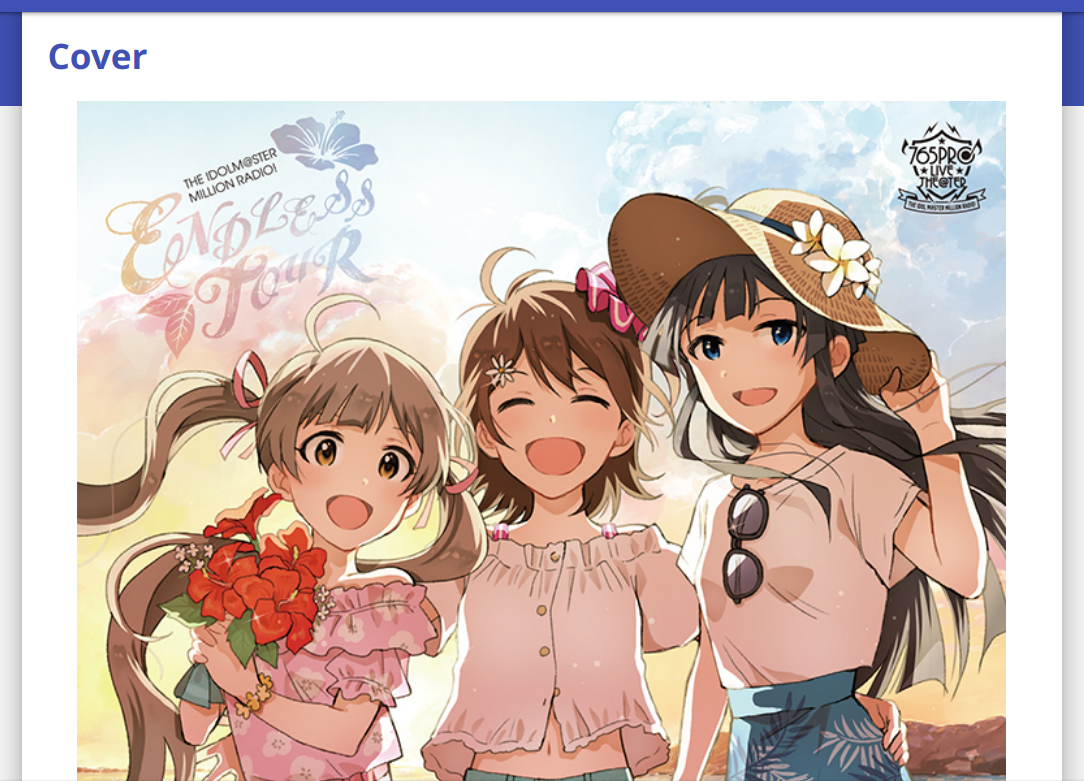
说是主页图片,其实改的是图片上面显示的字的相关内容。不透明的边框确实不大行,直接把后面的图片遮住了,观感很差。于是加了点透明度,看起来就好多了。
/* index-image */
@media screen and (min-width: 750px) and (orientation: landscape) {
body.mdx-first-tworows .mdx-tworows-title > div {
background-color: #fffb;
}
body.mdx-first-tworows.mdui-theme-layout-dark .mdx-tworows-title > div {
background-color: hsla(0, 0%, 19%, 0.3);
}
}
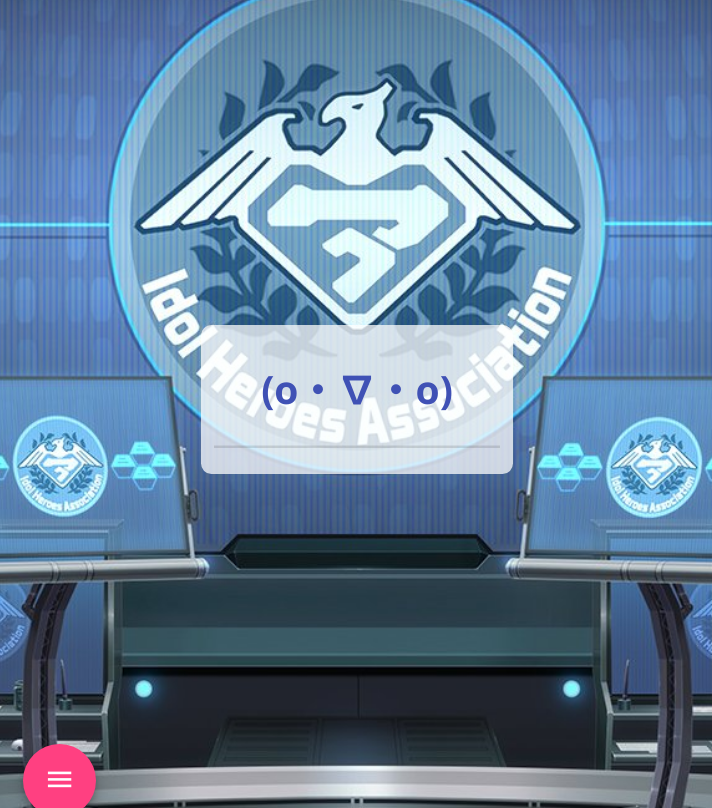
对于移动端而言,图片是单独显示的,不会有文字在上面悬浮,所以就不改了(
目录
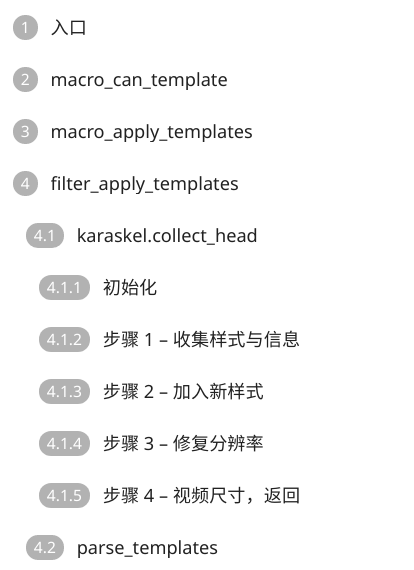
目录是整个过程中最大的麻烦了。默认的目录只能显示到 h3,这对于这篇文章显然是不够的(笑)
所以首先是要让目录支持到 h6,于是我修改了 toc.js:
function getTitleListHtml(maxLevel = 6) {
let titleList = $(
[...Array(maxLevel).keys()].map(l => `article > h${l + 1}`).join(",")
);
if (titleList.length <= 1) {
isToc = false;
return false;
}
let finalHtml = "";
let finalPreview = "";
let counter = 0;
let titles = [...Array(maxLevel)].map(l => 0);
for (title of titleList) {
title.dataset.mdxtoc = "mdx-toc-" + counter;
titleArr.push("mdx-toc-" + counter);
const level = Number($(title)[0].tagName[1]);
titles[level - 1]++;
titles.forEach((_, i) =>
i >= level ? (titles[i] = 0) : titles[i] === 0 && (titles[i] = 1)
);
finalHtml += `${titles.filter((_, i) => i > 0 && i < level).join(".")}${$(title).text()}`;
finalPreview += ``;
counter++;
}
return [finalHtml + "", finalPreview];
}
这个修改将目录等级支持增加到了任意级,并且省略了 h1。省略 h1 是我个人需求,因为我文章中不可能出现 h1(事实上也不应该出现,h1 本来的语义就是一篇文章只有一个,代表全文的标题)。对应的没有省略 h1 的代码已经丢到原仓库的 [issue](https://github.com/yrccondor/mdx/issues/113) 了(
之后,我们就要规定左侧的 padding 了,这里方便起见每级 +10了(
/* toc */
.mdx-toc-item-h2 {
padding-left: 10px;
}
.mdx-toc-item-h3 {
padding-left: 20px;
}
.mdx-toc-item-h4 {
padding-left: 30px;
}
.mdx-toc-item-h5 {
padding-left: 40px;
}
.mdx-toc-item-h6 {
padding-left: 50px;
}
最后效果是这样的: